Charlotte, NC
BlogJune 23, 2026

Tailscale First, Cloudflare Tunnel Still in the Stack

Blake McCarn
Tailscale First, Cloudflare Tunnel Still in the Stack
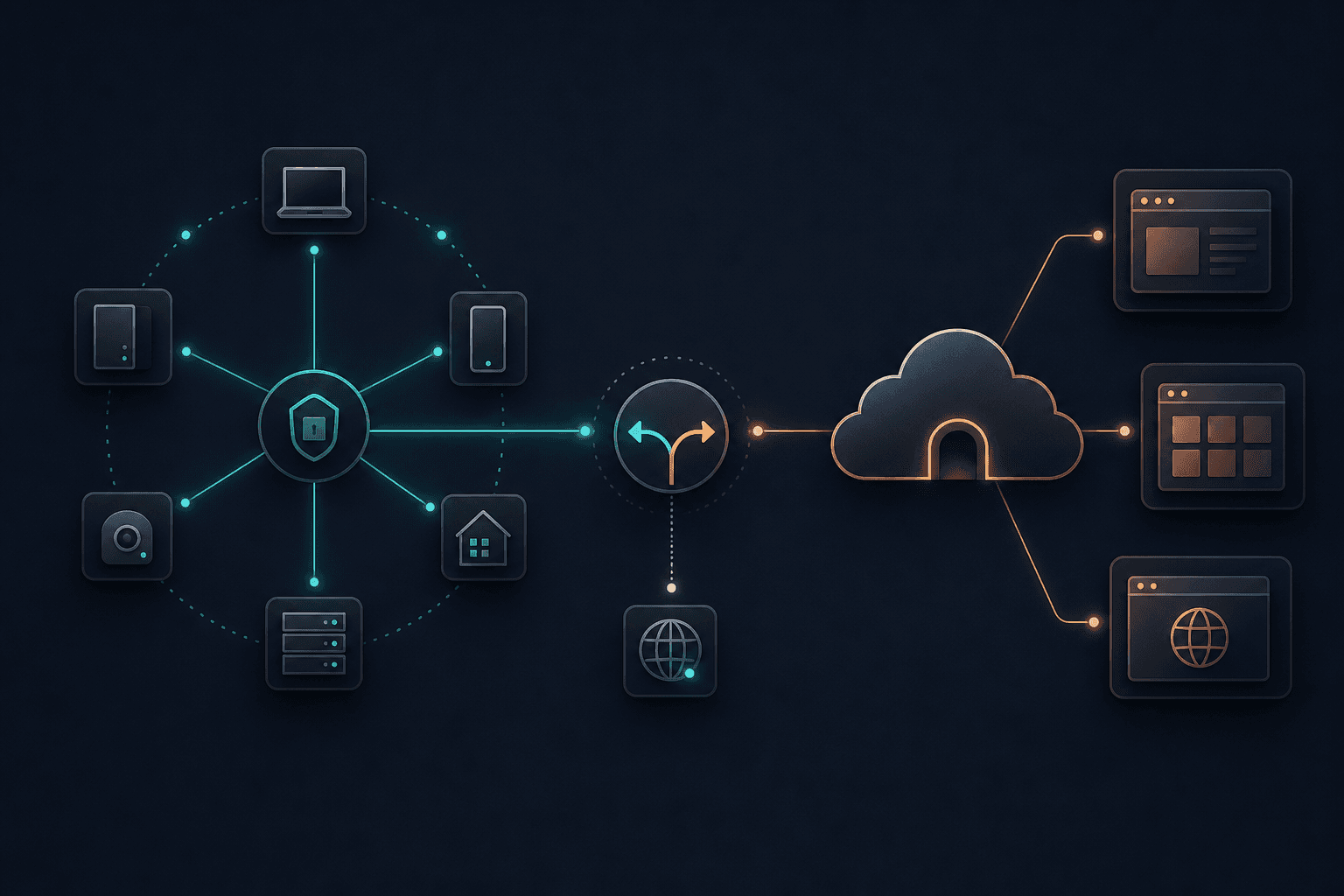
I used to think about homelab access as one problem. How do I reach the services running at home when I am not home? That is the problem I solved with Cloudflare Tunnel and Access. It worked well. A few dozen web services sat behind public hostnames, every request hit Cloudflare Access first, and cloudflared gave me outbound-only connectivity without opening inbound firewall ports. But the longer I ran it, the more I realized I had two different problems hiding under one label. One problem is publishing selected web apps safely. Cloudflare is excellent at that. The other problem is private administration: SSH, node-to-node access, Kubernetes control-plane work, internal DNS, recovery paths, and devices that should never become browser-facing public applications. That is the layer where Tailscale became the better primary door. This was not a replacement. It was a job reassignment. My first serious homelab access design was Cloudflare-first. Each service had a normal public hostname under mccarn.tech. The DNS record pointed at a Cloudflare Tunnel. The tunnel sent traffic through one of several cloudflared connectors running inside the homelab. Cloudflare Access sat in front of the routes and enforced identity before anything reached the origin. That shape is still good. Cloudflare Tunnel is built around outbound-only connections from cloudflared to Cloudflare's network. The origin does not need a publicly routable IP, and the firewall does not need an inbound port forward. Cloudflare's docs also support running multiple cloudflared replicas for availability, with each replica pointing at the same tunnel. For browser-facing apps, this model is hard to beat: That gave me clean URLs, Google-backed authentication, wildcard Access policies, and no direct exposure of my origin network. The mistake was not using Cloudflare Tunnel. The mistake was letting it become the answer to every access question. Cloudflare is great when the thing I want is a protected web route. It is less natural when the thing I want is to behave like I am on my private network. SSH is the obvious example. Cloudflare can support SSH patterns, including browser-based terminal access, but I do not want every administrative workflow to become a web app. Sometimes I want a real terminal, a normal SSH config, and direct reachability to a host. The same issue shows up with Kubernetes. I do not want my cluster API, node maintenance paths, and infrastructure recovery tools to depend on the same public edge I use for dashboards. I want a private network path that is boring, direct, and controlled by device identity. That is where Tailscale fits better. It gives my devices a private network first. Tailscale's data plane uses WireGuard, and its docs describe end-to-end encryption whether peers connect directly or through relays. In practice, that means my laptop, gateway host, Docker host, and other trusted devices can talk like they share a private network even when they are not on the same LAN. The model changes: That is a different mental model than "publish a service and protect it." It is "join the private network, then use the private network." The main reason is that Tailscale matches the way I administer infrastructure. When I am working on the homelab, I usually need more than one service. I might SSH into a host, check a dashboard, connect to the Kubernetes API, inspect a database replica, and then open a web UI. Treating each of those as a separate public application adds friction and creates unnecessary public surface area. With Tailscale as the primary private entry point, the first question becomes simpler: is this a trusted device? If yes, it gets private reachability. From there, normal infrastructure patterns work:
  • SSH uses normal OpenSSH keys.
  • Internal admin UIs can stay private.
  • Kubernetes access can use a private API path.
  • Device names can resolve through MagicDNS.
  • Services that do not need public URLs never get public URLs.
The private network now includes subnet routers for the home LAN and AWS VPCs, plus exit-node paths for trusted clients. That gives Tailscale a larger job than device-to-device access alone: it is also the routed operations plane between environments. That last bullet is the important one. Cloudflare Access is a strong gate, but a gate is still a public edge. If a service does not need to be reachable from an arbitrary browser, I would rather not publish it at all. This is the same distinction I see in enterprise environments. Publishing an app behind ZTNA is not the same thing as joining a private operations network. Both are useful. They are not interchangeable. Cloudflare did not leave the stack. It still handles the public edge for browser-facing services. If I am on an unmanaged device, a phone browser, or a machine where I do not want to install Tailscale, Cloudflare Access is the better experience. Open the URL, authenticate, use the service. It also keeps public DNS simple. Cloudflare Tunnel can publish local applications through public hostnames, and Cloudflare Access acts as an identity-aware proxy in front of those applications. That is exactly what I want for selected dashboards and self-hosted apps. Cloudflare also gives me a clean separation between "publicly named" and "publicly reachable." A hostname can exist in public DNS and still require identity before the origin sees traffic. That is useful for things I want accessible from anywhere without handing out full private network access. So the split is: That division has held up much better than trying to force one tool to handle both jobs. The DNS part is where this setup got cleaner. I used to be tempted by separate internal aliases like service-lan.example.com for local access and service.example.com for public access. That works, but it leaks implementation details into muscle memory. You start remembering which suffix to use instead of letting DNS answer correctly for where you are. The cleaner version is same-name access. Same hostname. Different answer depending on where the query comes from. Tailscale supports this pattern through its DNS settings. The Tailscale DNS docs describe restricted nameservers, which apply only to specific search domains. Tailscale calls that split DNS. That means trusted devices can use an internal resolver for mccarn.tech while the public internet still sees Cloudflare. One clarification matters: cloudflared is not doing the split DNS. DNS is doing the split DNS. cloudflared handles the public tunnel path after public DNS sends traffic to Cloudflare. That distinction matters operationally. If internal DNS breaks, I troubleshoot the resolver path. If public access breaks, I troubleshoot Cloudflare DNS, Access, the tunnel, and the connector path. Those are separate failure domains. One thing I do not do is make Tailscale Serve the primary HTTPS front door for the same hostnames that my reverse proxy already owns. I tried a version of that and it created a port ownership conflict. Tailscale wanted to bind HTTPS for a private tailnet hostname. My existing reverse proxy already owned port 443 for the normal site path. After an update, the wrong thing owned the listener and the public front door failed even though the backend service itself was healthy. That was enough for me. Tailscale gets me onto the private network. The reverse proxy still serves HTTP traffic. Cloudflare still fronts the public edge. I do not need every layer to terminate HTTPS. The fix was architectural, not just technical: do not let two systems think they own the same front door. Some things stay private even with good access control. Router management, camera/NVR interfaces, and break-glass infrastructure paths stay private. Storage and Proxmox administration are a deliberate exception: they have Cloudflare Access-protected browser routes for cases where installing a client is impractical, while Tailscale remains the preferred operations path. Publicly named is not the same as anonymously reachable, but it is still a larger edge surface, so the exception is explicit. Tailscale makes that easier because private-only does not mean "only reachable when physically home." It means "reachable from trusted devices." That distinction is why the setup feels better now. I can still get to what I need remotely, but I no longer have to turn every administrative surface into a public application.
  • Tailscale for private device-to-device access into the homelab
  • MagicDNS for friendly tailnet device names
  • Tailscale DNS with split DNS behavior for trusted devices
  • Cloudflare Tunnel with cloudflared connectors for selected public web routes
  • Cloudflare Access for identity-aware browser access
  • Envoy Gateway + Kubernetes HTTPRoutes for local service routing
  • Cloudflare DNS for the public mccarn.tech zone
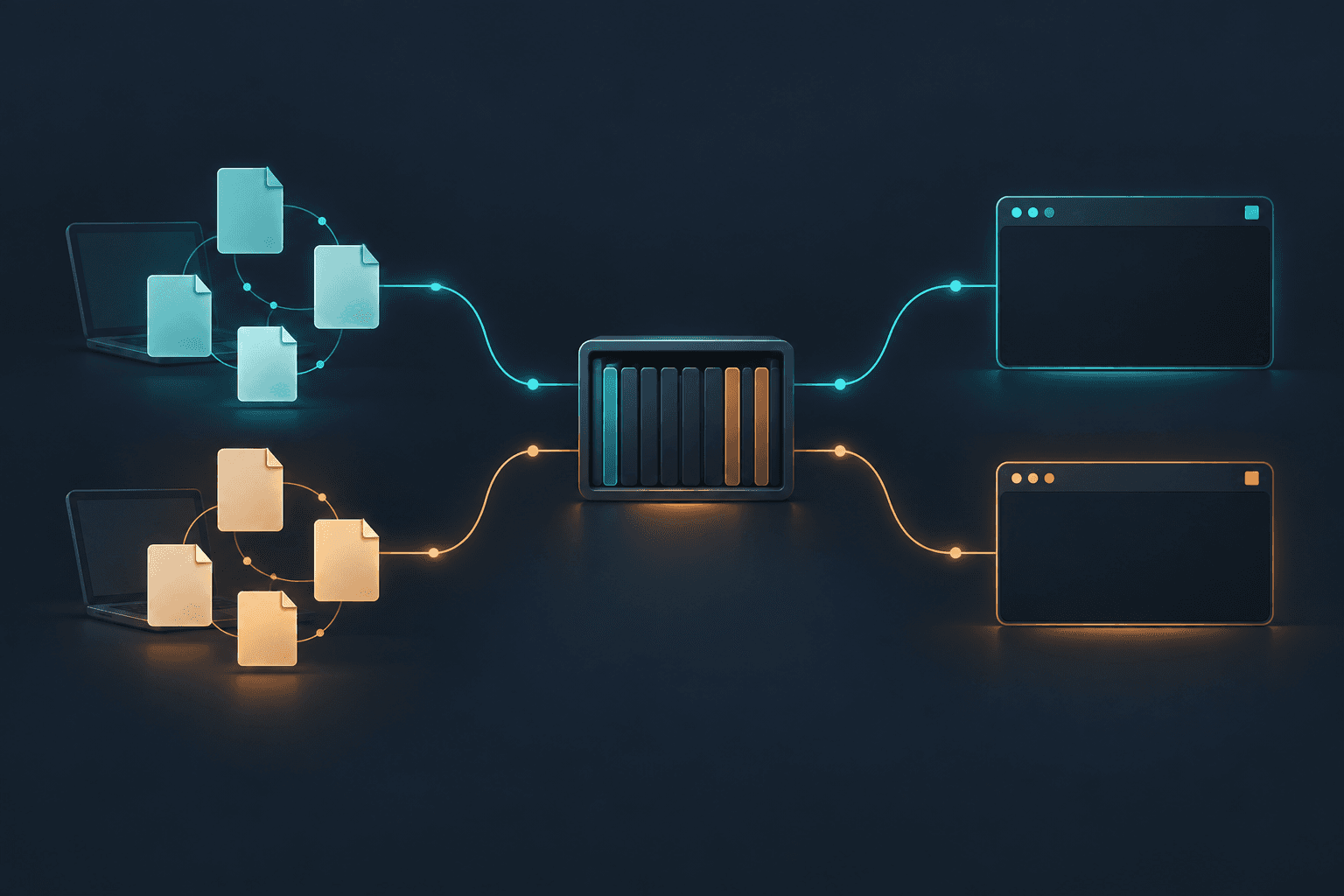
The best version of this setup is not "Tailscale instead of Cloudflare" or "Cloudflare instead of Tailscale." It is Tailscale first for private operations, Cloudflare still in the stack for public web access, and DNS deciding which path makes sense for the client. That has been the real improvement: each layer has a smaller job, and the whole system is easier to reason about.
Share this post: