
Charlotte, NC
BlogApril 8, 2026

Why I Self-Host My LLM Proxy (And What Routing 1M+ Calls Through LiteLLM Taught Me)

Blake McCarn
Why I Self-Host My LLM Proxy (And What Routing 1M+ Calls Through LiteLLM Taught Me)
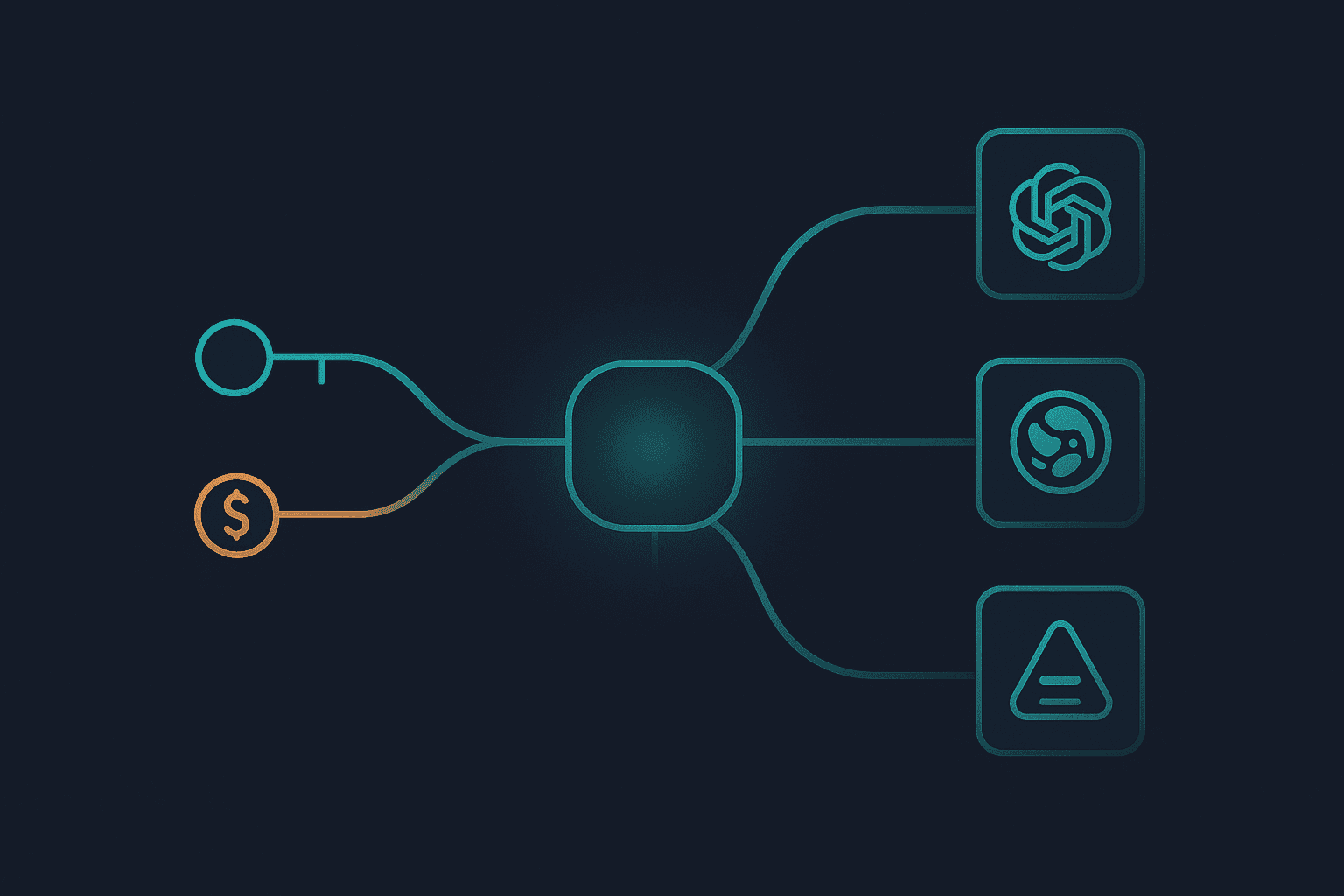
I have a problem that crept up slowly. One AI-powered service became two, then five, then more than I could count without opening a spreadsheet. Each one was making direct API calls to whatever provider it needed: Anthropic here, OpenAI there, Gemini for vision work. Every service had its own API key. Every key had its own billing. And when I wanted to know what my AI infrastructure was actually costing me, the answer was "go check five different dashboards and add it up." That's when I set up LiteLLM as a self-hosted proxy, and it changed how I think about running AI workloads entirely. The exact request count ages almost as soon as I write it down. When I first drafted this, the proxy had handled just under a million API requests year-to-date, with the knowledge graph indexing pipeline accounting for a significant chunk of that. Processing hundreds of documents through multi-pass entity extraction adds up fast. At roughly thousandths of a dollar per request across hundreds of millions of tokens, cost visibility is not optional at that scale. It's the whole point. Before I get into the architecture, I want to say clearly: LiteLLM is an excellent open-source project. The team at BerriAI has built something genuinely useful. It started as a Python library for calling 100+ LLM APIs in a unified format, and has grown into a full proxy server with a production-grade feature set. The project has thousands of GitHub stars and an active community, and it shows in how polished the operational tooling is. This post isn't a tutorial on setting up LiteLLM. It's about the decisions I made running it, what I've learned from routing a significant number of calls through it, and one specific gotcha with Anthropic that I haven't seen documented clearly anywhere. I covered the knowledge graph that sits downstream of this proxy in an earlier post if you want more context on one of the consumer services. Most services in my homelab that make LLM API calls go through LiteLLM. The important exception is automation that uses provider-specific authentication and calls Anthropic directly. The proxy originally ran as a three-service Docker Compose stack. That was a good first version: LiteLLM, Postgres, and Redis, all pinned after I learned the hard way that stateful auto-updates are not a joke. The current version is cleaner. LiteLLM runs as a single Kubernetes replica with rolling updates, readiness/liveness checks, and a pinned upstream image. Redis 8 still handles response caching with a 1-hour TTL. Postgres still stores spend logs, token counts, virtual keys, and budgets, but the database now lives in the shared Postgres layer instead of being a companion Compose container. One note on the Postgres image from the original Compose deployment: pin it. WUD, my container auto-update tool, upgraded Postgres 17 to Postgres 18 on first deploy before I had the pin in place, and a major Postgres version upgrade requires a full dump/restore. The database went into a crash loop. Moving the proxy to Kubernetes did not change that lesson. Stateful components get deliberate upgrade windows. The most immediately useful feature is model aliasing. My application code doesn't call claude-sonnet-4-6 or gpt-4o directly. It calls sonnet or opus or haiku. Those aliases map to whatever model I've configured as current in the LiteLLM admin UI. When a new model version drops, I update one mapping in the proxy configuration and every service using that alias picks it up. The OCR pipeline can keep calling flash while the concrete Gemini model changes behind the alias. This is one of those decisions that seemed like overkill at first but has paid for itself repeatedly as model families have iterated quickly. The drop_params: true setting is worth calling out. Different providers support different parameters. Some ignore top_p. Some don't support system messages in the same format. LiteLLM can translate between formats, but when it can't map a parameter, drop_params: true means it silently drops it rather than returning an error. For a proxy that serves multiple application types, this saves a lot of defensive coding. This is where LiteLLM moved from "useful" to "essential" for me. Every service that routes through the proxy gets its own virtual key: The returned key goes into that service's configuration. The OCR pipeline has its own key. My knowledge graph queries have their own key. The voice agent has its own key. The memory layer has its own key. The result is a real-time spend dashboard broken down by service. I can look at the admin UI at any time and see that the OCR pipeline spent $2.30 last week because I processed a batch of scanned statements, while the knowledge graph queries are running at a steady $0.40/month because most of those answers come from the cache. The budget enforcement is also real. If I set a $10 monthly cap on the OCR pipeline and a runaway batch job processes the same documents twenty times, the key stops working before the damage is done. Before LiteLLM, a bug like that would run until I noticed the billing spike at the end of the month. At work I see clients treat AI cost visibility as an afterthought, usually something they try to bolt on after costs have already become a problem. Adding it from the beginning via virtual key tagging is much cleaner than trying to correlate usage across multiple provider dashboards retroactively. The entity extraction pipeline running over my document archive has a predictable pattern: if a document has already been processed and comes back through the queue (due to a retry or a re-tag), the extraction prompt will be identical. LiteLLM's Redis cache catches this and returns the cached response immediately, at zero cost. In practice, the cache saves more than I expected. The memory layer makes similar entity extraction calls across overlapping contexts. The voice agent sometimes re-asks questions it's already asked earlier in a session. The 1-hour TTL means most repeated queries within a session window hit the cache. The configuration is minimal. Once Redis is declared in the config and the cache is enabled, it just works. No application-level changes needed. Every service that routes through the proxy gets cache benefits automatically. I briefly used LiteLLM as an MCP gateway, but that coupling did not hold up. Model proxying and tool transport have different failure modes, upgrade cycles, and access boundaries. A malformed or slow MCP server should not block a model-proxy rollout, and an MCP migration should not require touching the proxy that every AI application depends on. The current design connects MCP clients directly to the Garmin, document, and home-automation servers through their own authenticated routes. LiteLLM does one job: normalize model access, enforce virtual-key budgets, cache eligible responses, and record spend. Removing the public MCP endpoint made the proxy smaller and easier to reason about. Here's the thing I wish I'd known before I started. LiteLLM cannot proxy Anthropic OAuth tokens. Full stop. Anthropic supports two authentication modes: standard API keys (sk-ant-api03-*) and OAuth tokens (sk-ant-oat-*). OAuth tokens are what you get when you sign into Anthropic's developer platform via a personal account rather than creating a raw API key. They're short-lived, they require a token exchange flow, and they can't simply be forwarded as bearer tokens to a downstream API. When you route through LiteLLM with an Anthropic OAuth token, LiteLLM treats the token as a static API key and forwards it directly. Anthropic rejects it because the token exchange never happened. The error messages aren't always obvious about the root cause. GitHub issues #19618 and #22040 track this, and as of early 2026 there's no clean resolution. The practical consequence: any service that uses Anthropic with OAuth-based credentials has to call Anthropic directly. It can't go through the proxy. For my setup, this means the primary automation agent and a few other high-usage services use direct Anthropic authentication, while the proxy handles everything else. The fallback chain compensates for this. If LiteLLM is down, services that normally route through the proxy fall back to direct API calls using raw API keys. It's handled in the routing configuration: This also means the virtual key spend tracking has a gap: calls that go direct (either intentionally for OAuth services or as fallback during an outage) don't show up in LiteLLM's dashboard. For a full picture, I still have to cross-reference the Anthropic console. Not a dealbreaker, but worth knowing going in. Update: Anthropic has since removed third-party OAuth support entirely, so this specific issue is now moot for new setups. But the broader lesson stands: any proxy layer is only as good as its compatibility with each provider's auth model. Verify your auth flow works end-to-end through the proxy before you commit to routing production traffic through it.
  • LiteLLM pinned upstream image for the model proxy
  • Kubernetes for deployment, rolling updates, probes, and service routing
  • Redis 8 for response caching (1-hour TTL)
  • Postgres for spend logs, budgets, and virtual key management
  • Anthropic, OpenAI, Google Gemini, xAI as upstream providers
  • Cloudflare Tunnel / Envoy Gateway for browser-facing access to the proxy UI and API

The LiteLLM documentation is comprehensive and covers the full proxy configuration in detail. The admin UI at /ui is genuinely good for exploring spend data and managing keys without curl commands. Running your AI infrastructure through a single proxy with real cost visibility changes how you reason about what to build. When I add a new AI-powered service now, the first thing I do is create a virtual key for it. The second thing I do is set a budget cap. Then I wire it up. That order of operations matters.
Share this post: