Charlotte, NC
BlogApril 6, 2026

Building a Personal Knowledge Graph Over Your Document Archive

Blake McCarn
Building a Personal Knowledge Graph Over Your Document Archive
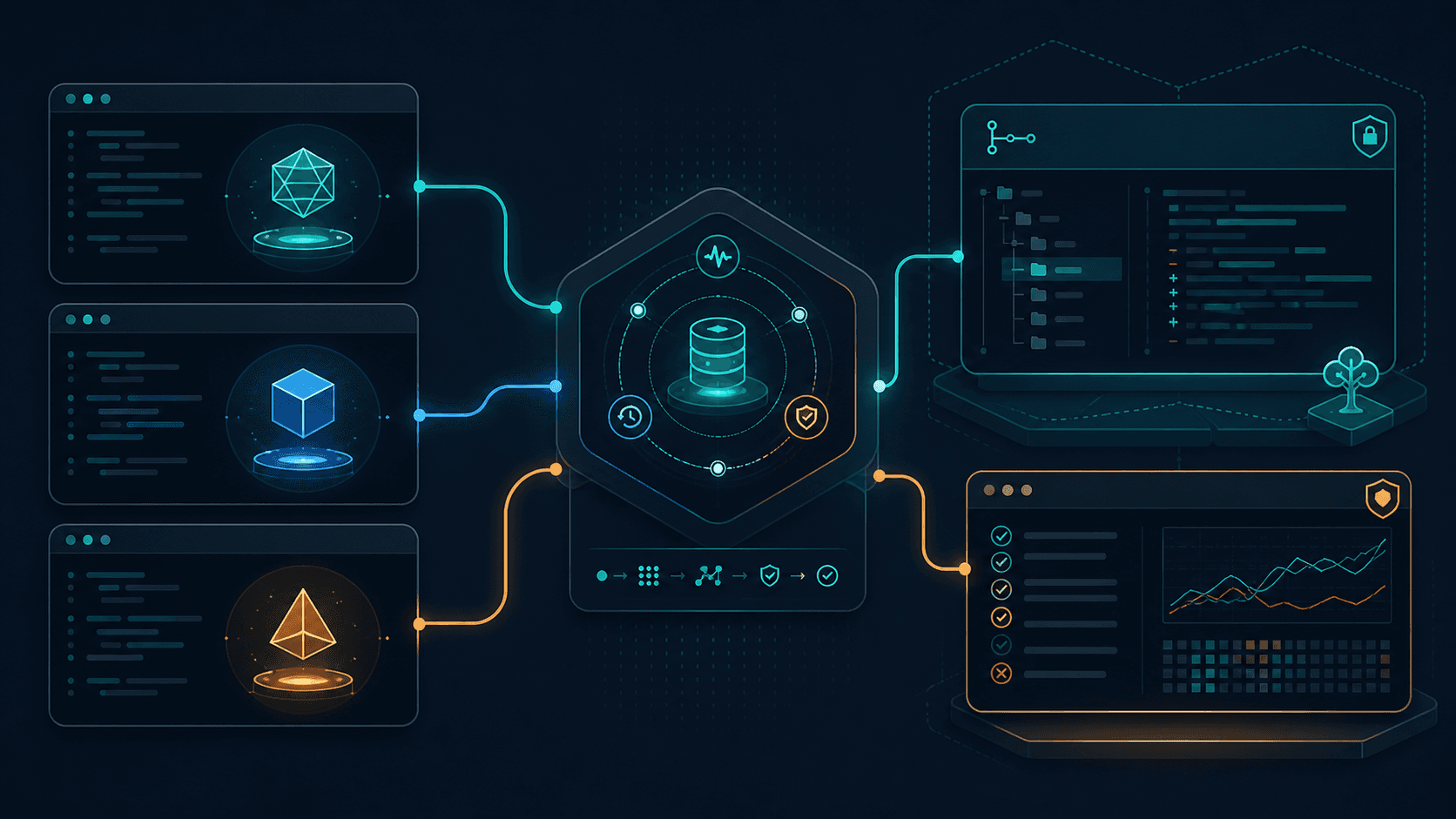
I have a problem that I think a lot of people share: too many documents, not enough understanding of what's actually in them. Tax returns, insurance policies, contracts, medical records, receipts, bank statements. Over the years I've scanned and dumped hundreds of these into Paperless-ngx, which is a fantastic open-source document management system. It handles ingestion, OCR, tagging, and basic full-text search really well. But here's the thing. Keyword search only gets you so far. I can search for my insurance provider and find the right documents. But I can't ask "what's my deductible across all my insurance policies?" or "what estimated tax payments did I make last year?" Those questions require understanding the content of multiple documents and reasoning across them. That's a fundamentally different problem than search. So I built a knowledge graph on top of it. The system has five layers, each one building on the last: All LLM calls route through a self-hosted LiteLLM proxy, which I'll get into later. The newer query path also uses Strands Agents for bounded planning and verification, but the agents don't replace the retrieval system. They sit around it. Let me walk through each layer. This is the foundation. Documents come in through a consumption directory (scanned, emailed, or manually uploaded), and Paperless handles the initial OCR with Tesseract, assigns tags, and stores everything in a searchable archive. I'm not going to spend much time here because Paperless-ngx is well-documented and there are plenty of guides on setting it up. The important thing is that it gives me a stable, API-accessible document store with decent baseline OCR. Every document gets an ID, metadata, and extracted text that downstream systems can pull from. My instance currently holds a little over 800 documents across categories like tax, financial, insurance, medical, contracts, and correspondence. Not a massive corpus, but more than enough to make manual searching painful. This is where it gets interesting. Tesseract does a solid job on clean, typed documents. But real-world paperwork isn't always clean. Handwritten notes on forms, complex table layouts in financial statements, checkboxes on medical intake forms. Traditional OCR struggles with these. I built a separate OCR enhancement container that runs Google's Gemini Flash model against documents that need better extraction. The workflow is tag-based:
  1. A document gets tagged ocr-redo in Paperless (manually or via automation)
  2. The enhanced OCR container picks it up, sends the document to Gemini Flash
  3. Gemini extracts structured data that Tesseract missed: table contents, form field values, handwritten annotations
  4. On success, the document gets tagged ocr-complete with the enhanced text stored alongside the original
  5. On failure, it gets tagged ocr-failed for manual review
The key design decision here was keeping this as a separate layer rather than replacing Paperless's built-in OCR. That way the base system stays vanilla and upgradeable. I can update Paperless without worrying about breaking my custom OCR pipeline, and the enhanced layer evolves independently. It's a simple Python service that watches for the tag, pulls the document via the Paperless API, sends it to Gemini, and pushes the results back. Nothing fancy, but it dramatically improves extraction quality on the documents that need it. This is the core of the system. Once documents have good text extraction (either from base OCR or the enhanced pipeline), the system classifies each document and then runs entity extraction with a prompt tailored to that document type. That classification step matters more than I expected. A tax form, an insurance policy, a medical bill, and a contract all contain dates, amounts, names, and identifiers, but they do not mean the same thing. Treating every document as generic text made the early graph noisy. Type-specific extraction gives the LLM a narrower job and keeps the resulting entities closer to the real document structure. The extraction pipeline uses an LLM to identify entities in each document:
  • People (names, roles, relationships)
  • Organizations (companies, government agencies, medical providers)
  • Account identifiers (policy numbers, account IDs, reference numbers)
  • Monetary amounts (payments, premiums, deductibles, income figures)
  • Dates (filing dates, effective dates, expiration dates)
  • Addresses (physical locations tied to people or organizations)
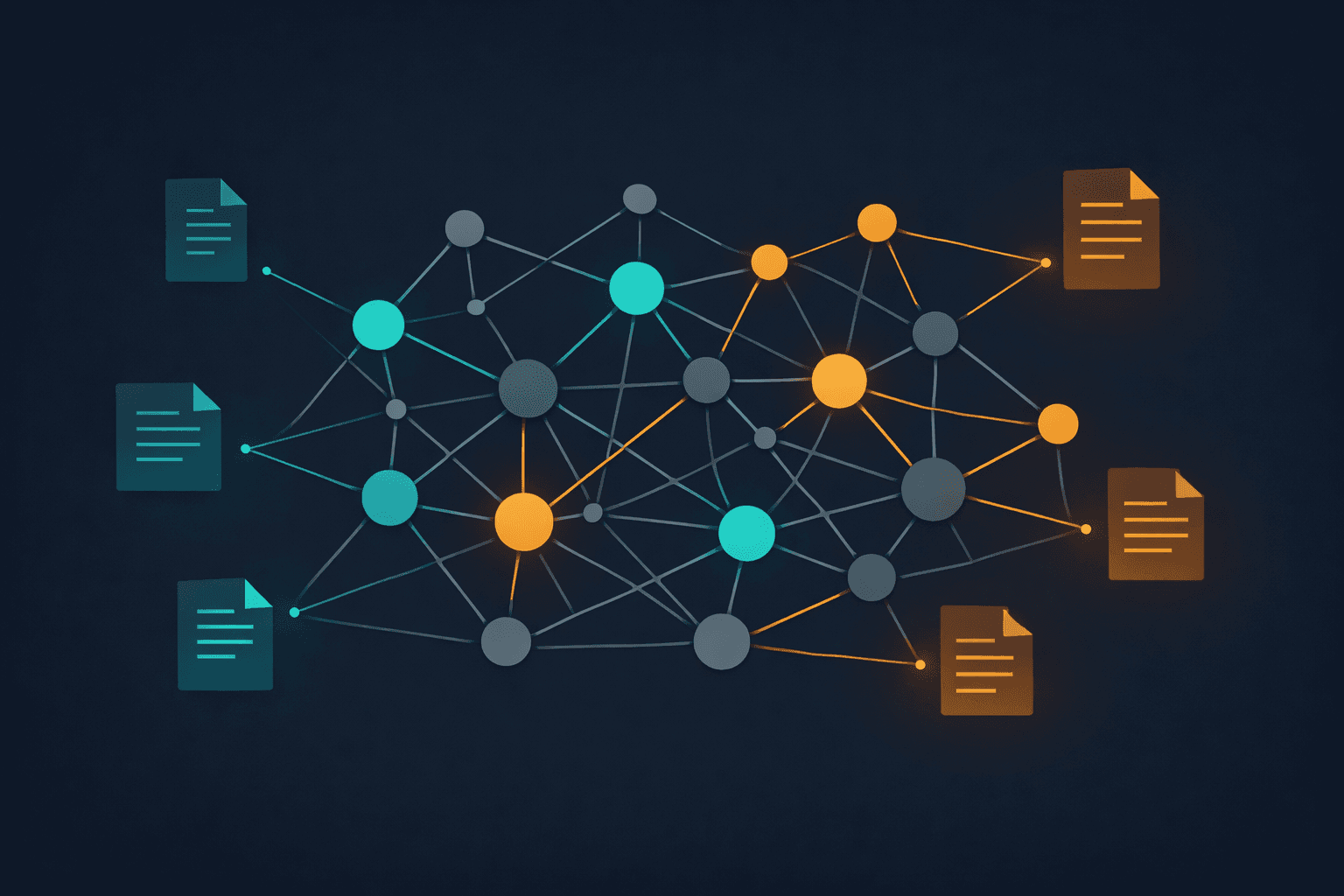
These entities and their relationships get stored in a Neo4j graph database. Document chunks and entity embeddings are stored in PostgreSQL with pgvector and pg_trgm indexes. The live graph is now around 7,000 nodes, 25,000 relationships, and 6,000-plus searchable document chunks. Here's what makes the graph powerful compared to flat search: relationships. A keyword search for your utility company gives you every document that mentions them. The graph tells you that the utility company is connected to a specific account number, which is connected to a specific address, which is connected to payment records across multiple years. You can traverse those relationships to answer questions that span documents. The graph also catches connections you might not think to search for. Documents that don't share any keywords but reference the same account number or the same person in different roles get linked automatically. Entity resolution is deliberately conservative. RapidFuzz and embedding similarity handle the obvious duplicates, and ambiguous candidates go through a review path rather than being blindly merged. That sounds fussy, but with personal documents I would rather miss a merge than incorrectly collapse two people, accounts, or organizations into one node. The first version had two query modes: fast graph search and deep AI synthesis. That was a good starting point, but it was too blunt. Some questions just need a quick entity lookup. Some need a timeline. Some need an answer only if the evidence is strong enough. Lumping all of that into "fast" and "deep" made the interface simpler than the actual problem. The current version still keeps the fast path, but the deeper path is more structured:
  • Quick search for entity lookups and graph exploration
  • Deep synthesis for multi-document questions that need retrieval, ranking, and citations
  • Timeline mode for questions where the order of events matters
  • Strict mode for answers that should fail closed when the sources are weak
This is where Strands Agents fit in. I use them for bounded orchestration tasks around the query engine:
  1. Turn the user's question into a retrieval plan
  2. Decide which retrieval channels to use: vector, keyword, entity search, graph traversal, or timeline extraction
  3. Check whether the initial evidence has obvious gaps
  4. Verify the drafted answer against the retrieved sources
  5. Build a claim ledger so the UI can show which claims are well-supported, weak, or missing evidence
  6. Repair the answer when verification finds a problem
The important boundary is that the agents do not get to rummage through the database directly or invent their own sources. The Python query engine still owns retrieval, ranking, source packing, and citations. Strands helps plan and critique the work, but the system keeps the evidence path explicit. Strict mode is intentionally boring. If the evidence is weak, the system should say that instead of dressing up a guess as an answer. That matters more for personal documents than it would for a toy demo. I would rather get a partial answer with clear source gaps than a polished paragraph that quietly invented the missing piece. That distinction matters. "Agentic RAG" can turn into a vague blob pretty quickly if every step is just another model call. I wanted the opposite: a deterministic retrieval engine with small agent steps where judgment actually helps. The result is slower than a single vector search, but much easier to trust because I can inspect the query plan, the retrieved sources, the verification result, and the final claim ledger. The key insight is still the same as the early version: vector search alone isn't enough. Pure vector similarity finds documents that are semantically related to your question, which is great for "find me documents about X." But it can't answer relationship questions like "who is my insurance agent and what policies do they manage?" The graph captures structural relationships that embeddings lose. The newer pipeline adds planning and verification around that hybrid retrieval core instead of replacing it. All of the LLM calls in this system (OCR enhancement, entity extraction, query planning, verification, and synthesis) route through a self-hosted LiteLLM proxy. This is one of those decisions that seemed like overkill at first but has paid for itself many times over. LiteLLM sits between my applications and the upstream API providers (Anthropic, OpenAI, Google). It provides:
  • Model abstraction: My application code calls a model alias rather than specific model versions. When a provider releases a new model, I update the mapping in one place.
  • Key management: Virtual keys for different services with separate budgets and rate limits. The OCR pipeline has its own key with its own spending cap.
  • Cost tracking: Every API call gets logged with token counts and costs. I know exactly how much the knowledge graph costs to run per month.
  • Failover: If one provider is down or rate-limited, LiteLLM can fall back to another model automatically.
The proxy runs as part of my homelab AI stack. Postgres stores the spending data and virtual key configs, and Redis handles response caching for repeated queries. This setup means I can hot-swap models without changing application code, track costs across all my AI-powered services in one dashboard, and set guardrails on spending before I accidentally burn through API credits on a runaway extraction job. I can ask natural language questions about my tax situation, insurance coverage, medical records, or financial history and get sourced answers in seconds for graph queries or a couple minutes for deeper synthesis. The corpus is now a little over 800 documents, with roughly 7,000 graph nodes, 25,000 relationships, and 6,000-plus searchable chunks. The practical value isn't just in answering questions. It's in surfacing connections I didn't know existed, and in having instant access to specific details buried in documents I scanned years ago. Looking up a policy number used to mean opening Paperless, searching, finding the right document, and scrolling through a PDF. Now it's a two-second graph lookup. For more complicated questions, I get a cited answer plus enough trace data to decide whether I trust it.
  • Paperless-ngx for document ingestion, base OCR, and tagging
  • Gemini Flash for AI-enhanced OCR, classification, extraction, and synthesis
  • Neo4j for entity storage and relationship traversal
  • PostgreSQL + pgvector + pg_trgm for semantic chunk search and keyword search
  • LiteLLM as a self-hosted LLM proxy for model routing, cost tracking, and failover
  • Strands Agents for bounded query planning, timeline extraction, verification, and repair
  • Python for the orchestration layer, extraction pipelines, and API
  • Next.js for the graph explorer, document browser, and query UI
  • Container images and Kubernetes for the current app deployment, with Docker Compose still useful for local development

If you're sitting on a pile of documents and tired of keyword search being the best you can do, a knowledge graph is worth the investment. The combination of structured relationships and semantic search covers a much wider range of questions than either approach alone. And with current LLM capabilities, the extraction pipeline is surprisingly straightforward to build. The full knowledge graph pipeline is open source at github.com/bmccarn/paperless-knowledge-graph.
Share this post: